Unclear structure











UI Design & Web development
Personal project
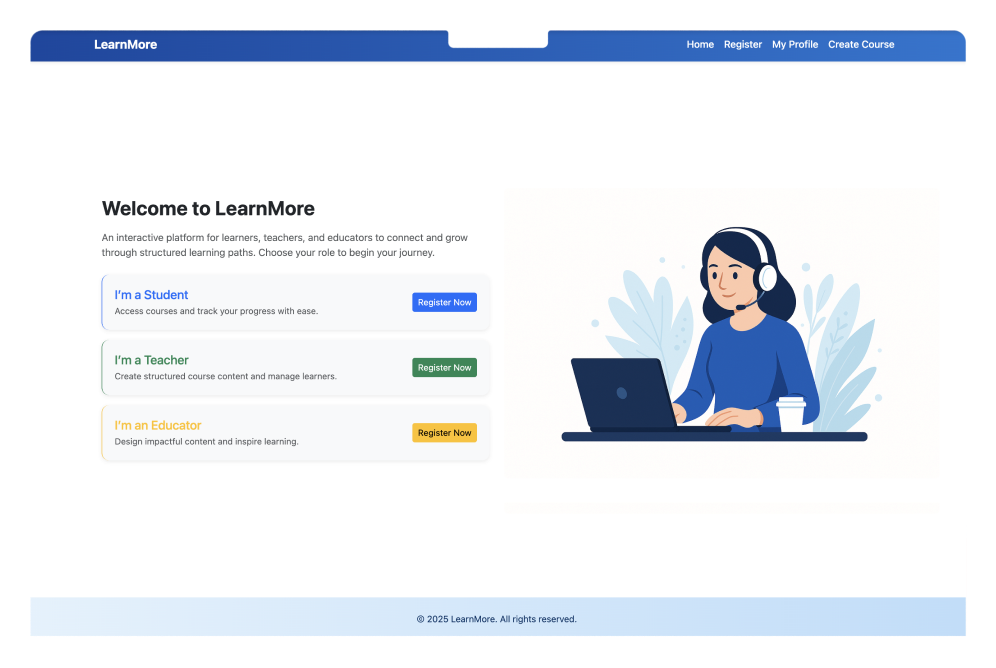
A responsive learning platform where teachers can create courses, track modules, and monitor progress with ease. From user registration to QR code sharing, it makes learning more interactive, organised, and engaging.
Role
UI design & Web development
Duration
Two months
Project type
Personal project
Tools & Skills
Figma & Html & Css & Broostrap & Sql & JS & Django









Clarity
Usability
Responsiveness
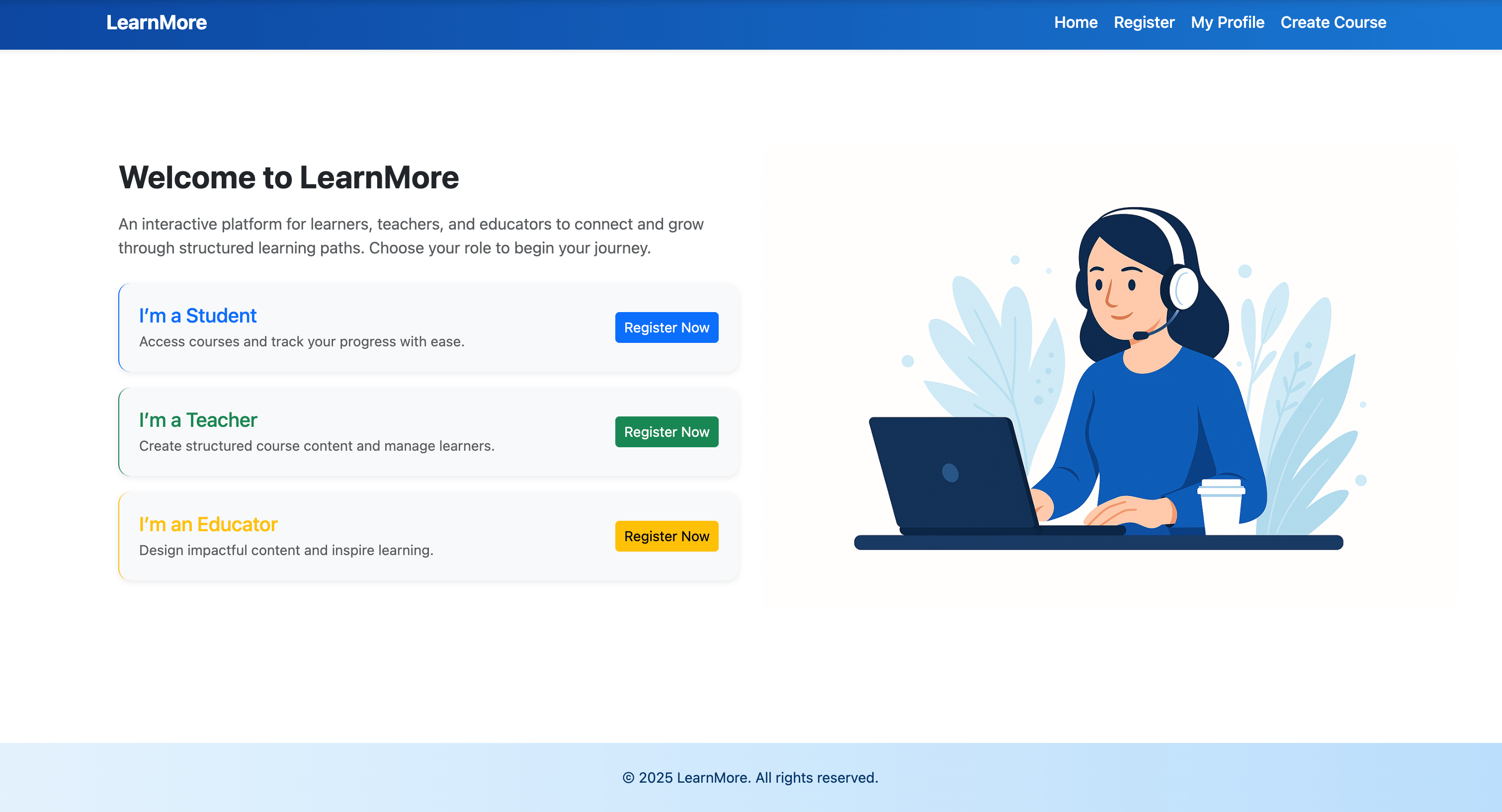



Course Builder
Improve Teaching Efficiency
Desktop & Mobile Compatible
Engagement



Build Course Content
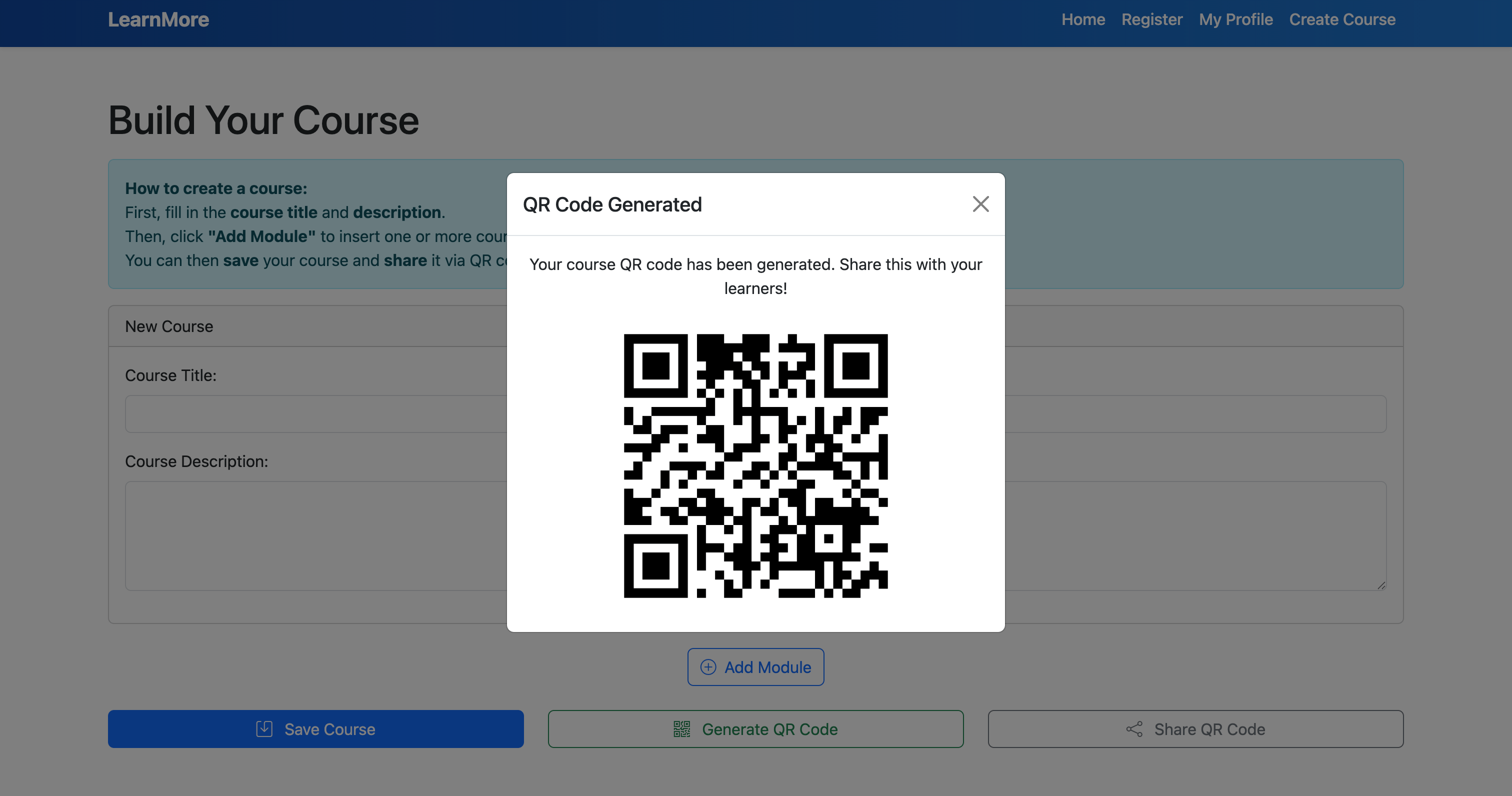
Generate QR Code

Distribute Course Tasks


Track Learning Progress
Enable Adaptive Teaching
Completion Rate


Target users
School teachers, online content creators, and corporate trainers.
Use scenarios
Formal classroom settings, internal corporate training, or public/community learning events.
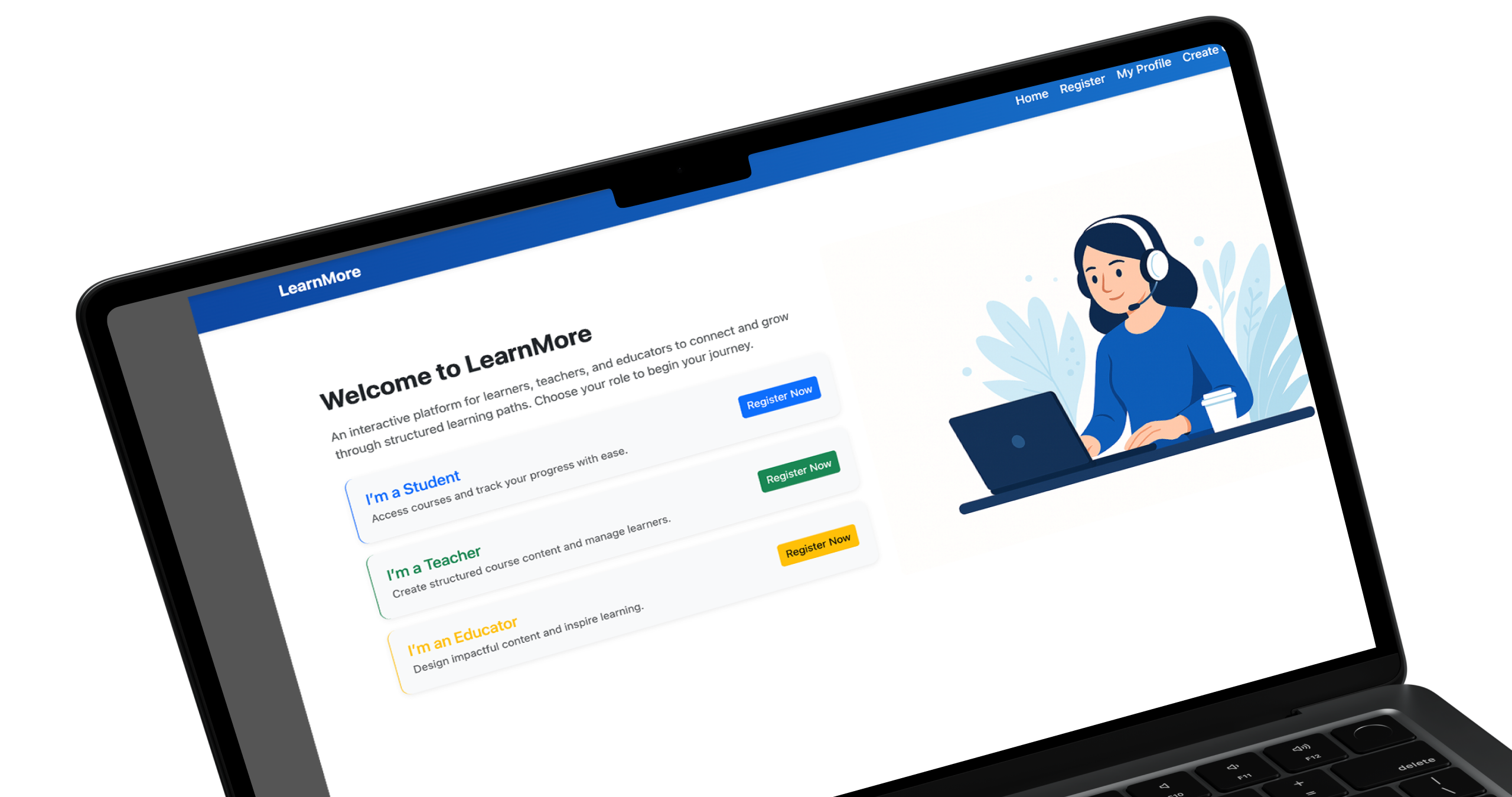
LearnMore
Design Guidelines
Color
Theme Color
# 0D6EFD
RGB 13、110、253
Accent color
# 1A8754
Accent color
# FFC008
Theme Color
# 2A2A2A
Accent color
# 6C757D
Font
Typography
INTER
Size
12
14
16
18
20
22
Index page

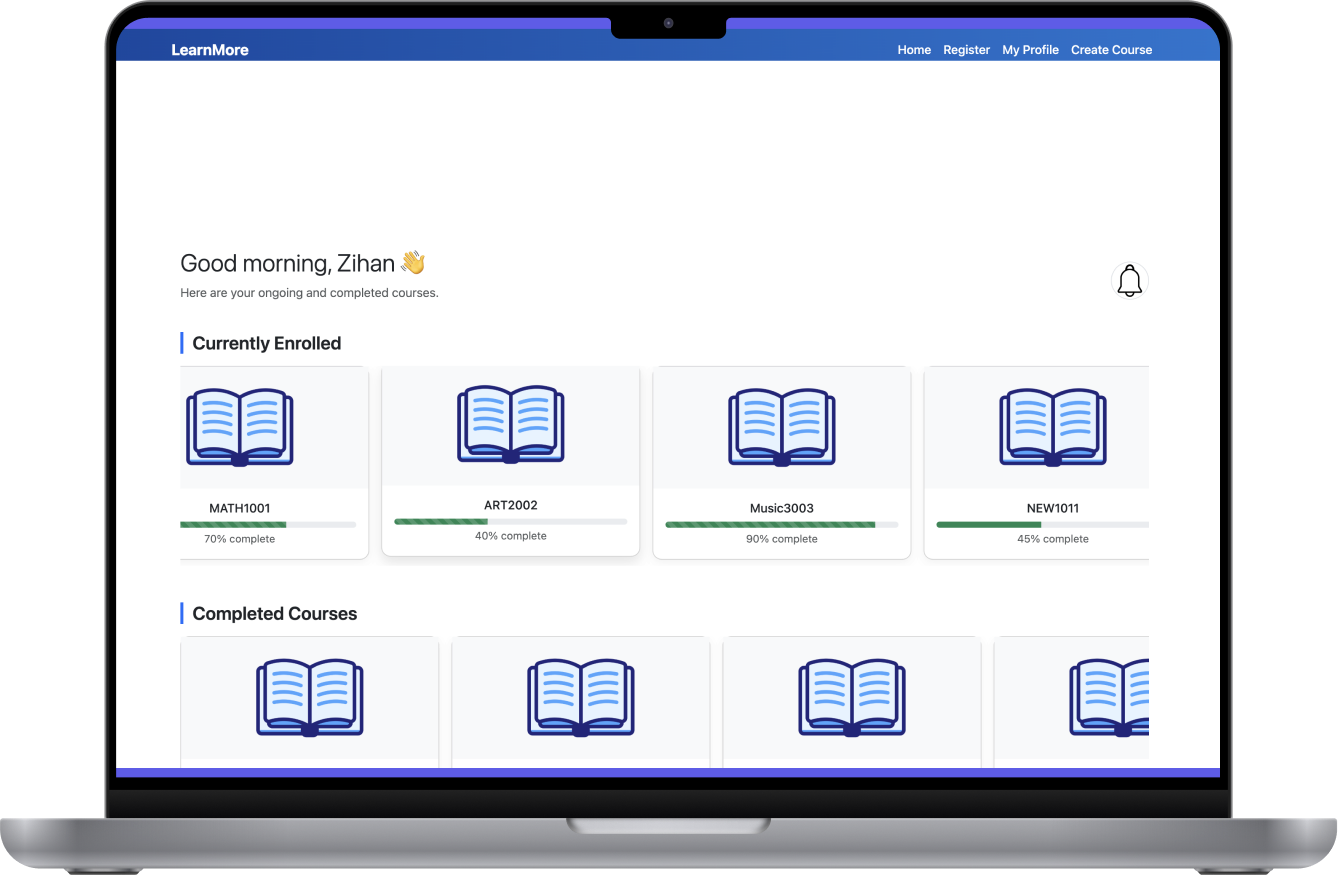

Simplify the course creation process
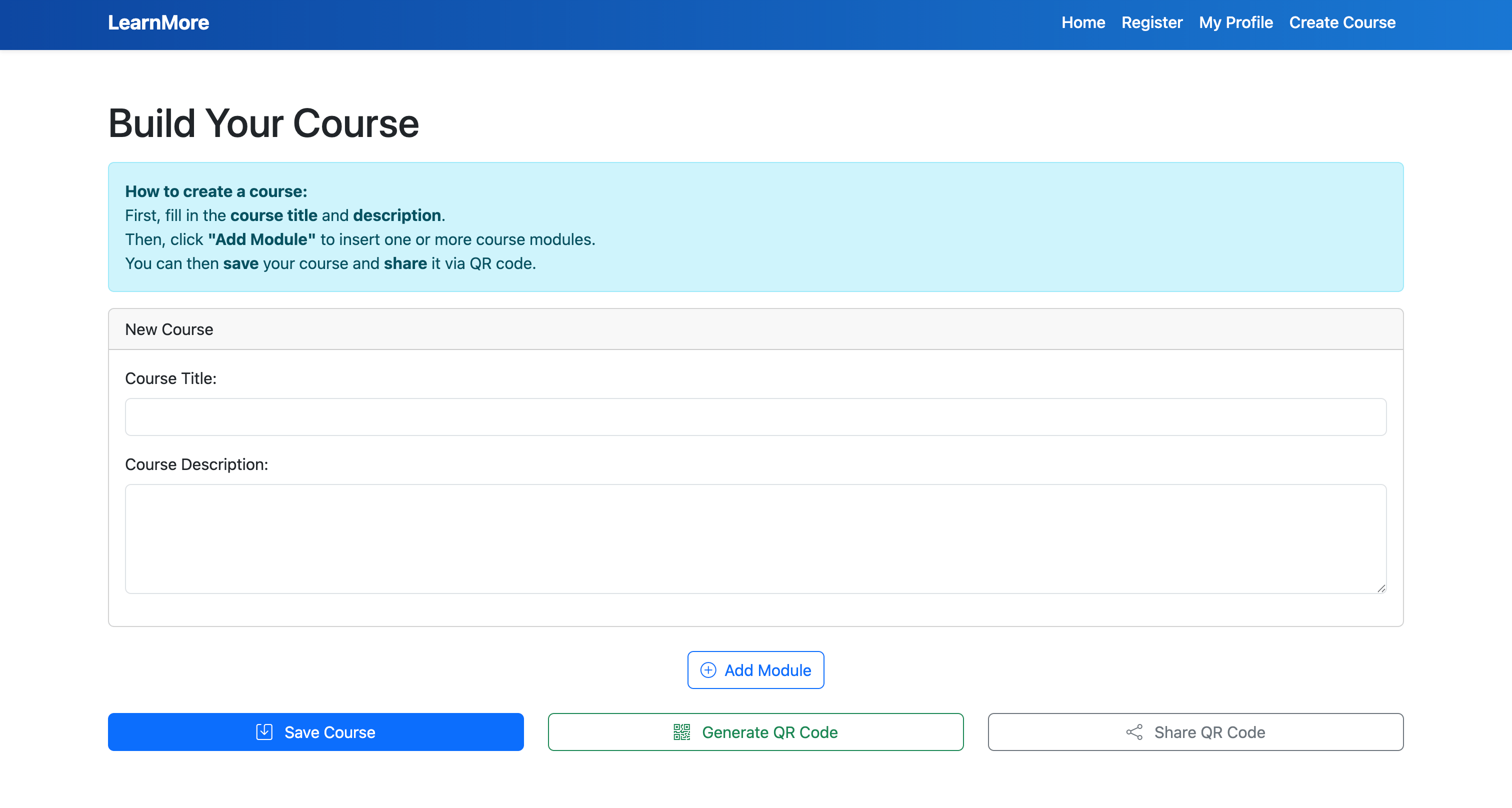
A clean, intuitive interface enables educators to build learning materials using text, images, and videos. With a clear content structure and logical flow, it lowers the barrier to course creation and reduces friction in the course design process.
QR code integration
A clean, intuitive interface enables educators to build learning materials using text, images, and videos. With a clear content structure and logical flow, it lowers the barrier to course creation and reduces friction in the course design process.
Real-Time Progress Dashboard
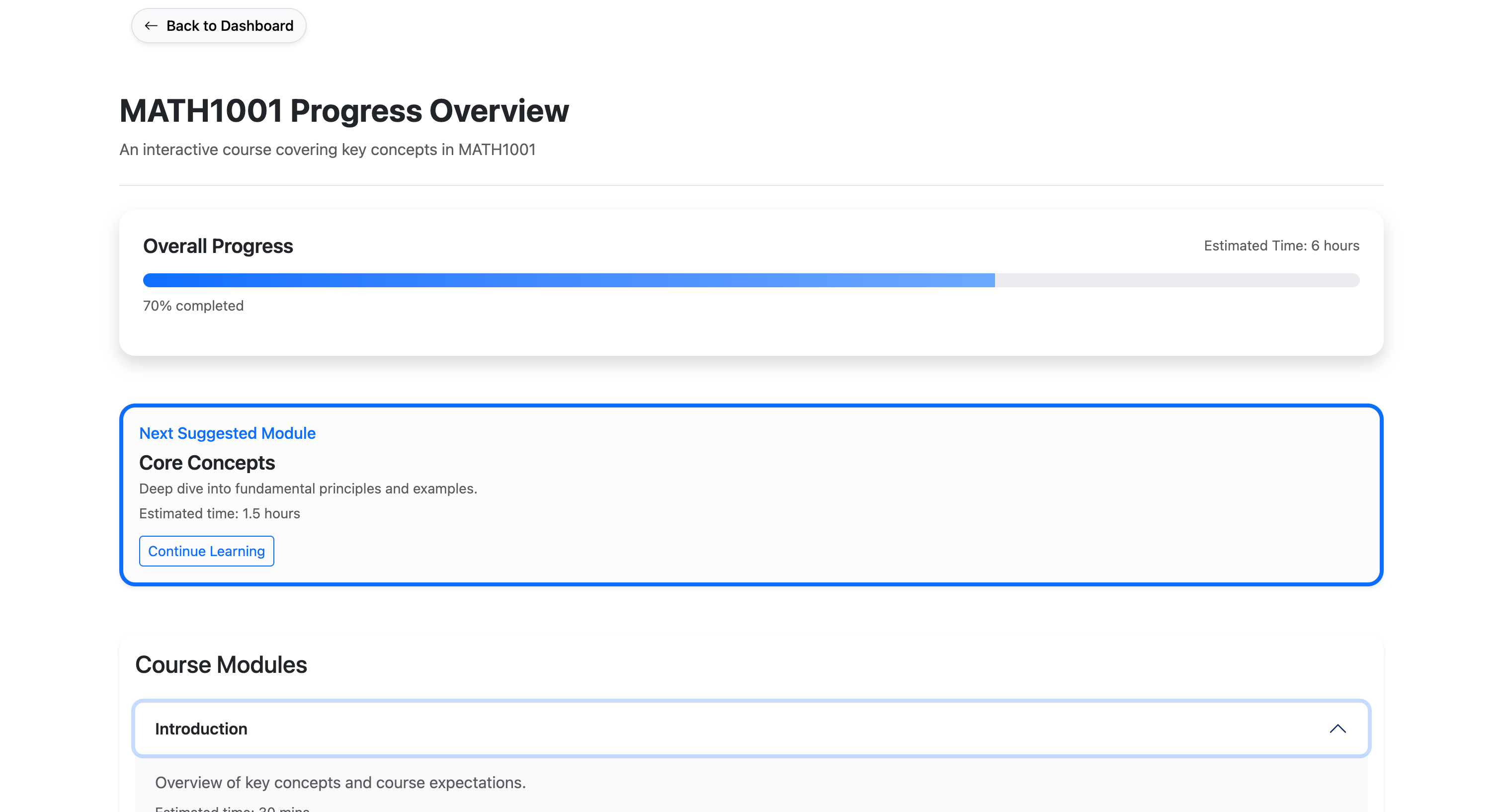
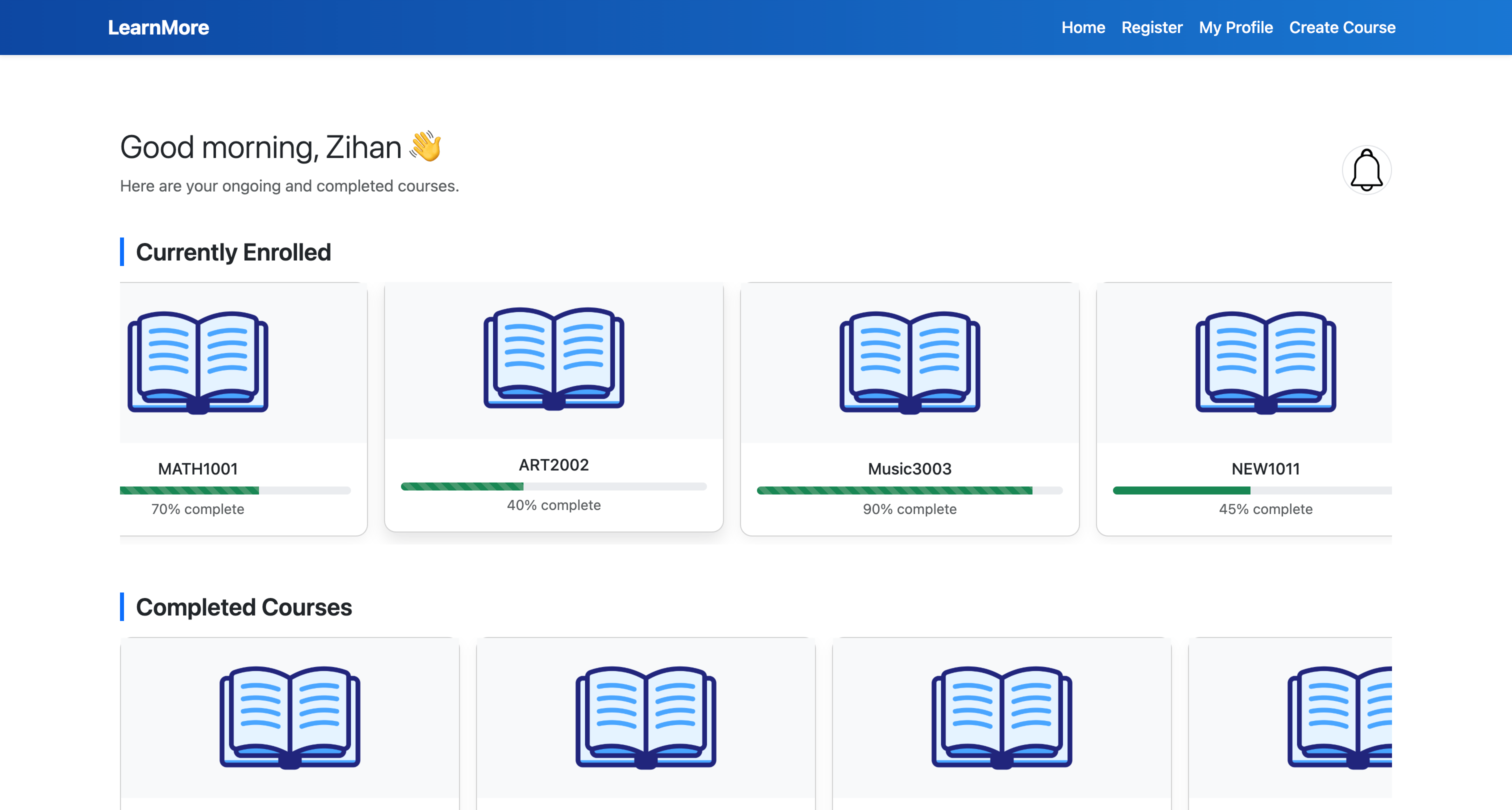
Educators can monitor how learners interact with content—completion rates, time spent, and last activity. This data supports responsive teaching strategies and helps identify friction points in learning.
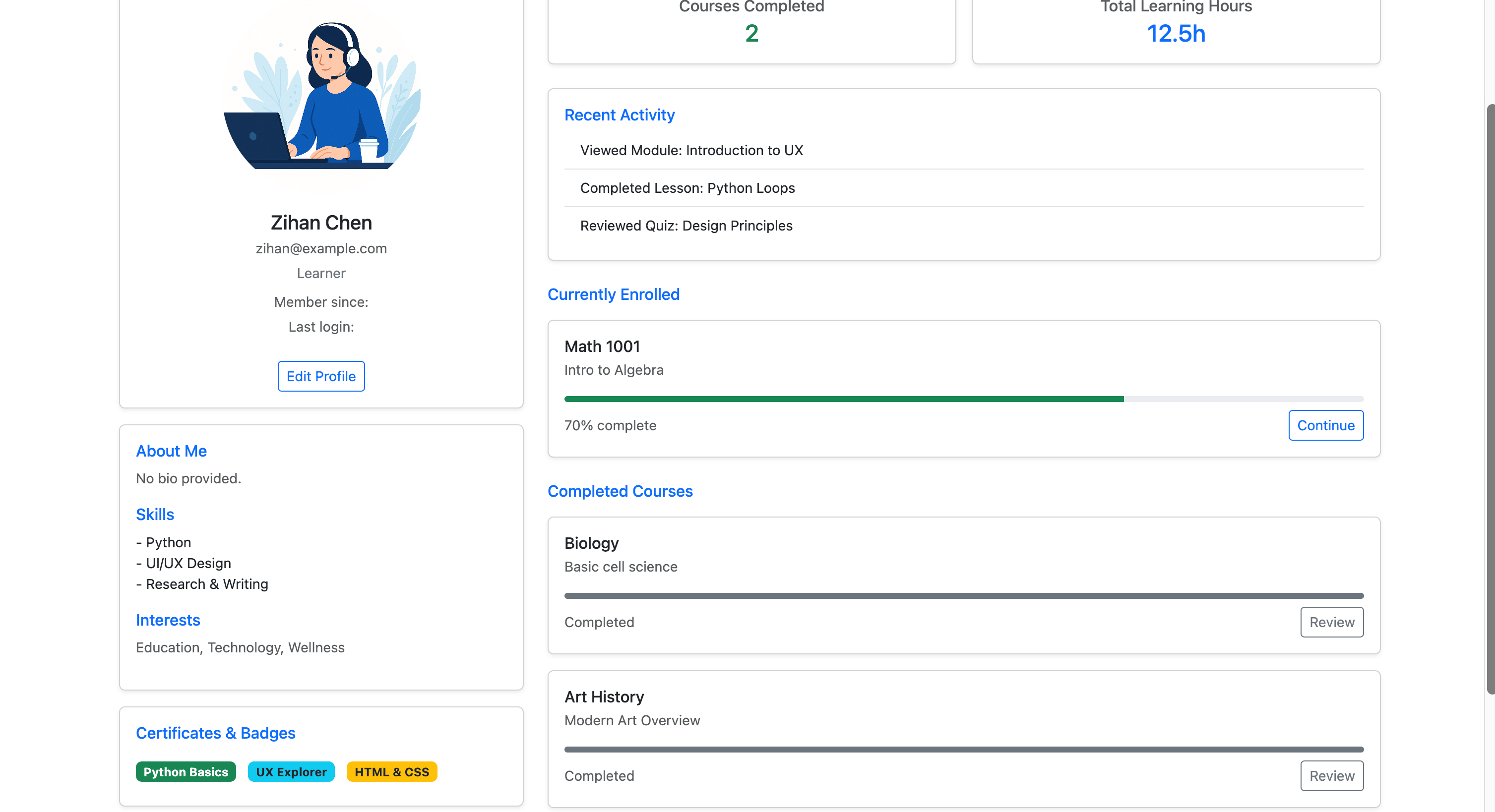
Both instructors and learners manage their own dashboards. Educators track and update multiple courses, while learners see a clear record of their participation and progress
Personalized Accounts & Profiles
Database Design
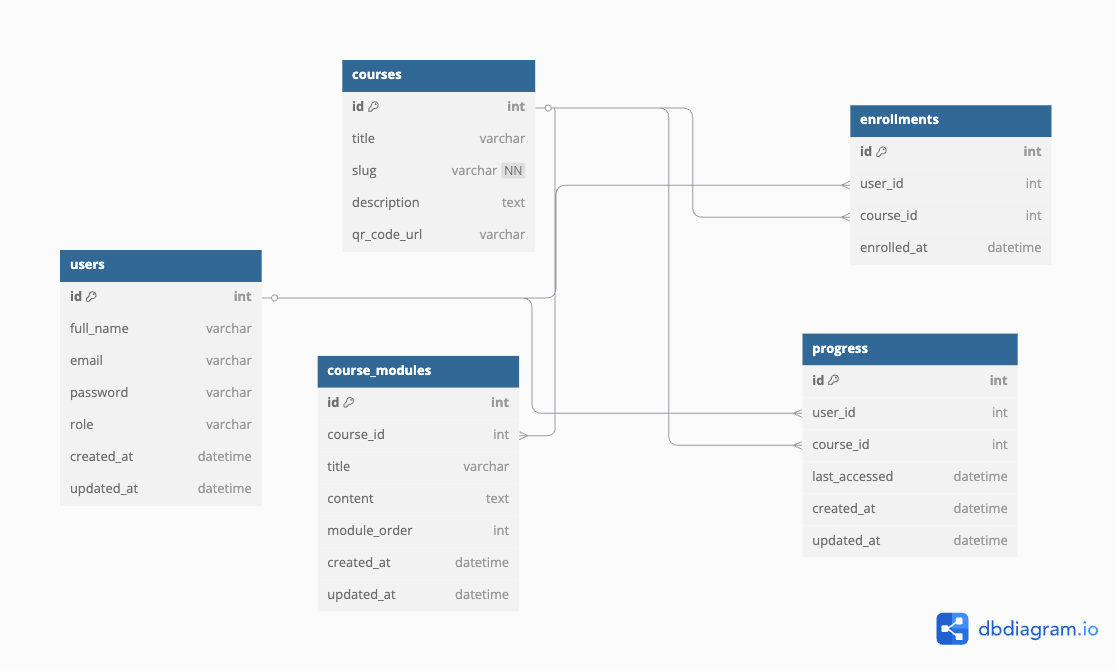
The database is designed to support a role-based course platform where users can act as educators, trainers, or students. Educators can create structured multi-page courses, which are linked to auto-generated QR codes for easy sharing. The system also tracks individual learner progress, making it easier for instructors to monitor engagement and completion.


Code showcase
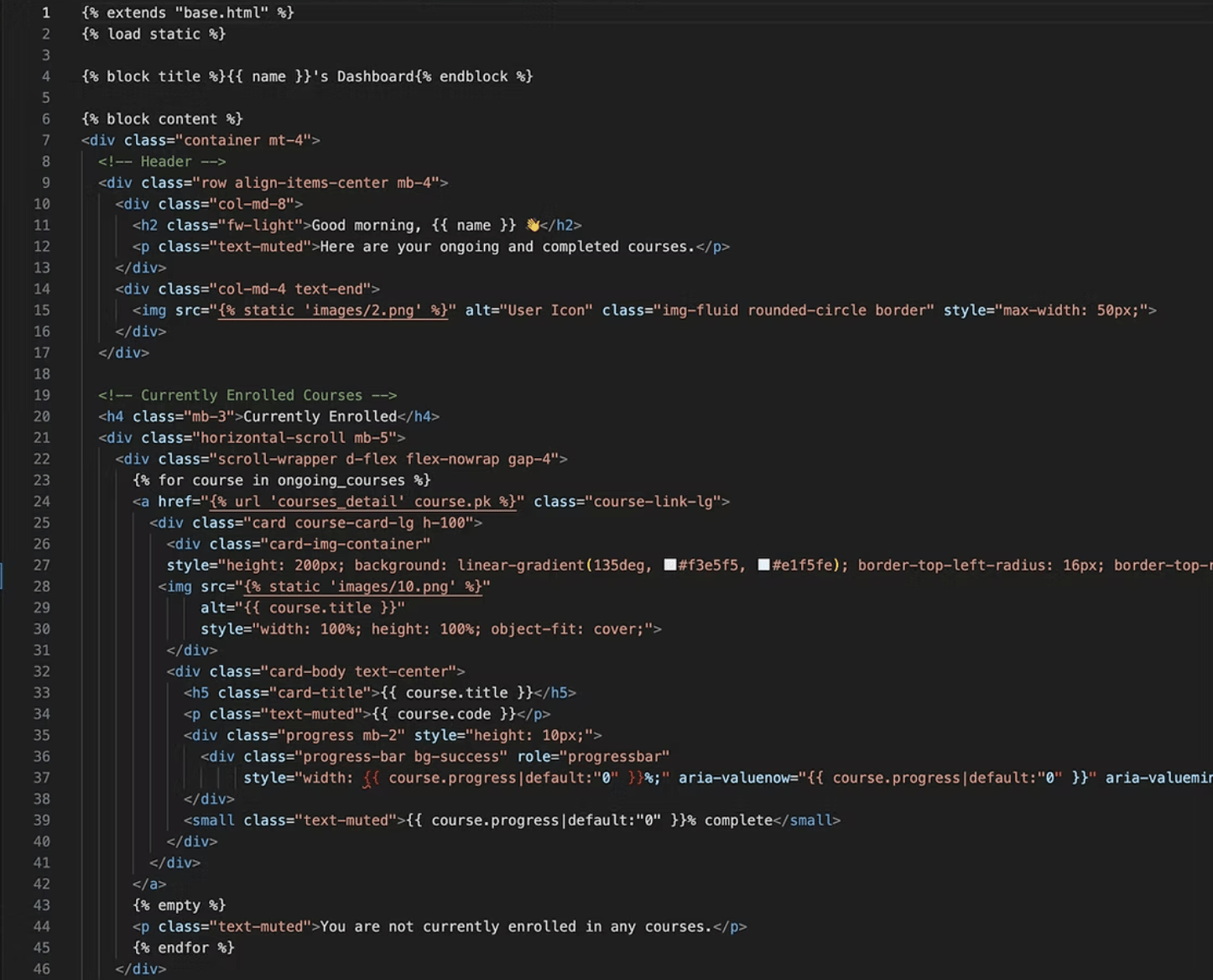
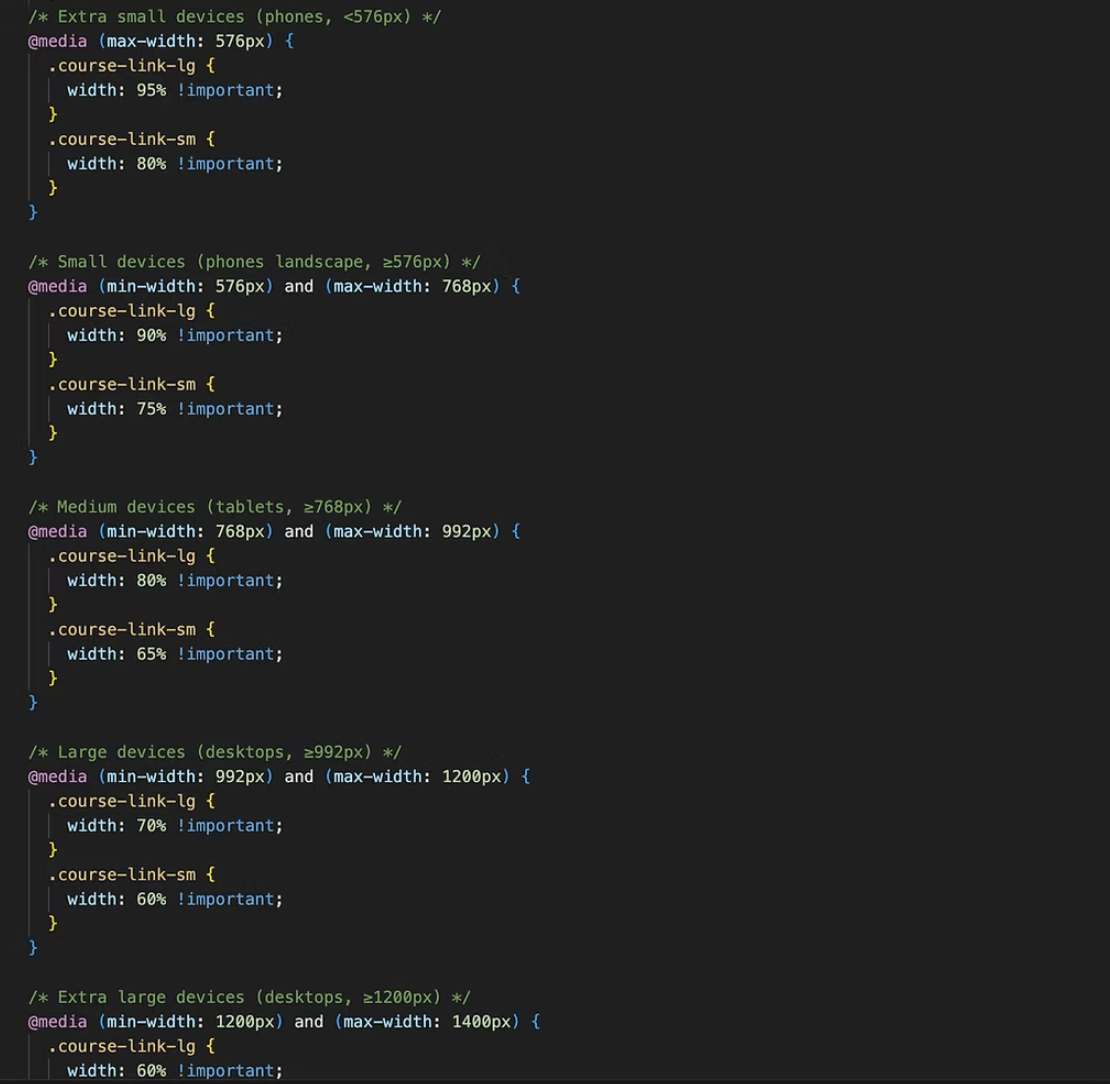


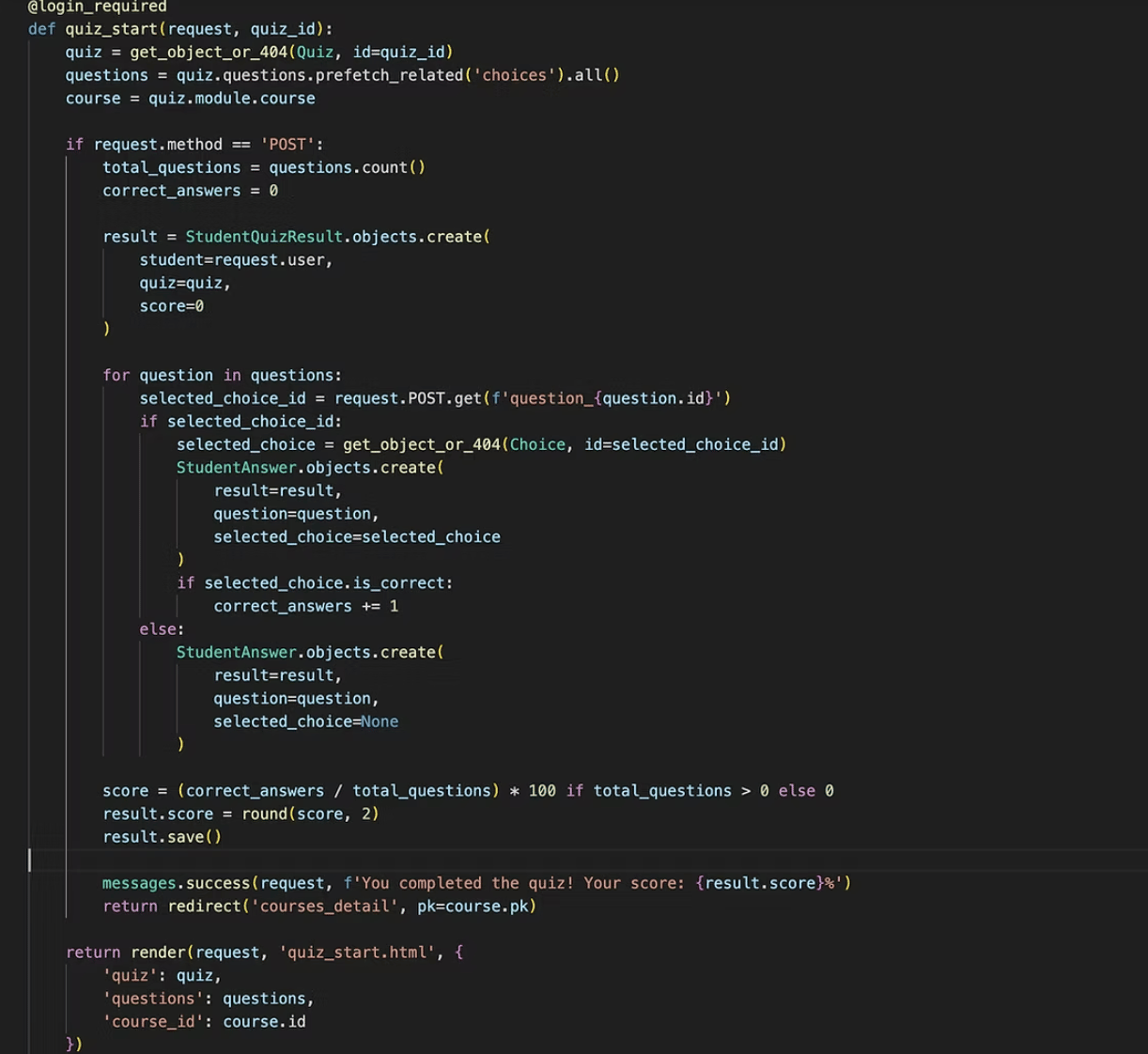
Accessibility: All interactive elements—including buttons, forms, links, and modal dialogs—are designed to be fully operable via keyboard. Clear visual focus indicators support keyboard navigation, enabling users to move through the interface confidently and efficiently.
I used semantic HTML elements such as <header>, <nav>, <main>, and <footer> with clear heading hierarchies, enabling assistive technologies to interpret content structure effectively. ARIA attributes (e.g., aria-label, aria-expanded) were incorporated to ensure that dynamic content is equally accessible through screen readers.
Structured Information & Semantic Design
Keyboard-Friendly Interaction
All interactive elements—including buttons, forms, links, and modal windows—were designed to be fully operable via keyboard. Clear visual focus indicators guide users who rely on keyboard navigation, allowing them to move through the interface with confidence and efficiency.
Execute
Frontend: Developed the user interface using HTML5, CSS3, and Bootstrap, ensuring responsive layouts and cross-device usability. Integrated features such as QR code generation for quick course sharing.
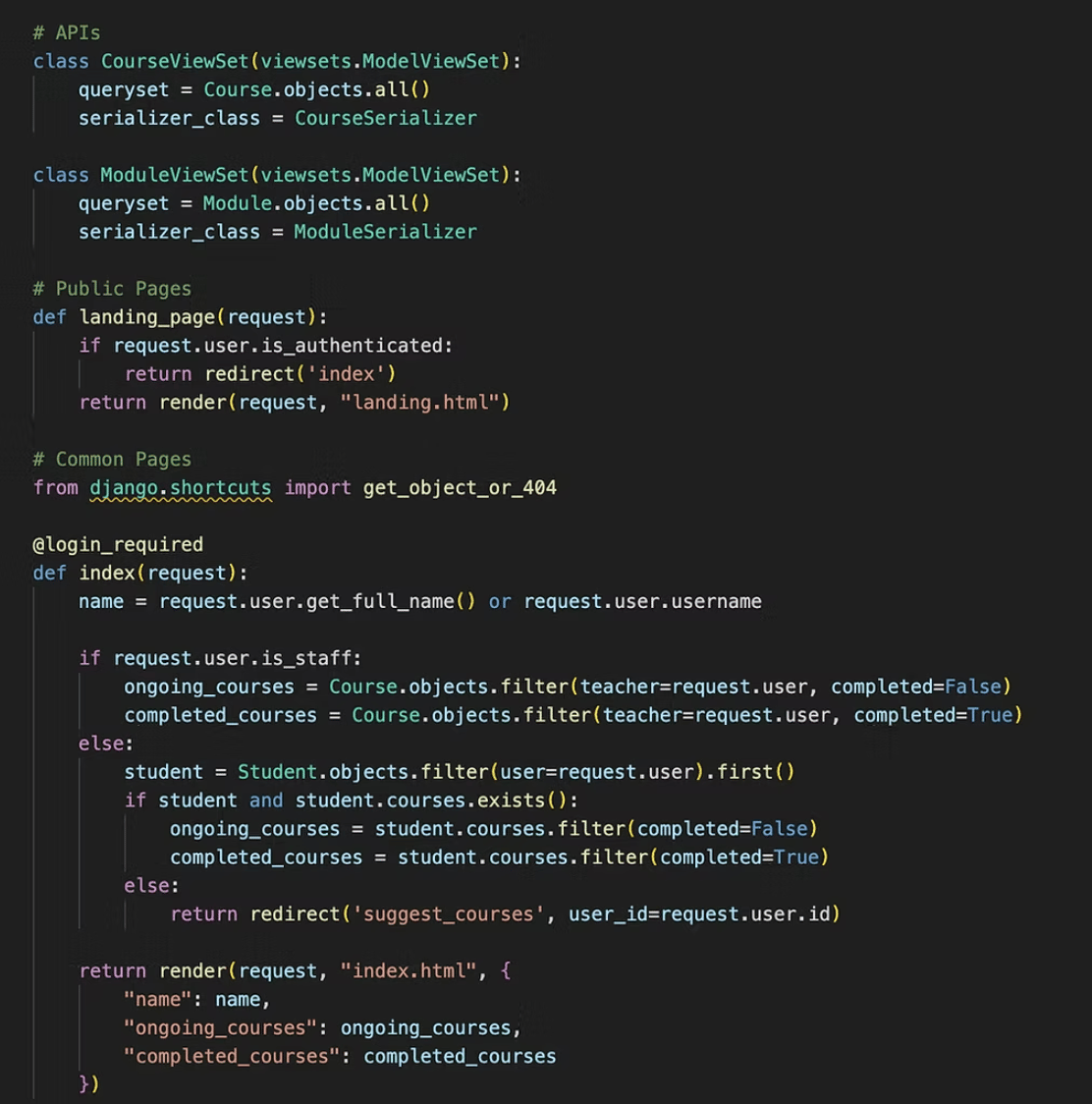
Backend Integration: Worked with Django and MySQL to handle data flow between the interface and database. The backend implementation included APIs for course/module management, user authentication, and quiz functionality (as shown in the code snippet).
Collaboration: Coordinated frontend and backend to ensure smooth communication and efficient system performance, resulting in a platform that is both user-friendly and technically robust.







A responsive learning platform where teachers can create courses, track modules, and monitor progress with ease. From user registration to QR code sharing, it makes learning more interactive, organised, and engaging.
UI Design & Web development
Personal project
Figma & HTML & CSS
& Broostrap & SQL
& JS & Django
Two months









Clarity
Usability
Responsiveness
Course Builder
Improve Teaching Efficiency
Desktop & Mobile Compatible
Engagement



Build Course Content
Generate QR Code

Distribute Course Tasks


Track Learning Progress
Enable Adaptive Teaching
Completion Rate

Target users
School teachers, online content creators, and corporate trainers.
Use scenarios
Formal classroom settings, internal corporate training, or public/community learning events.


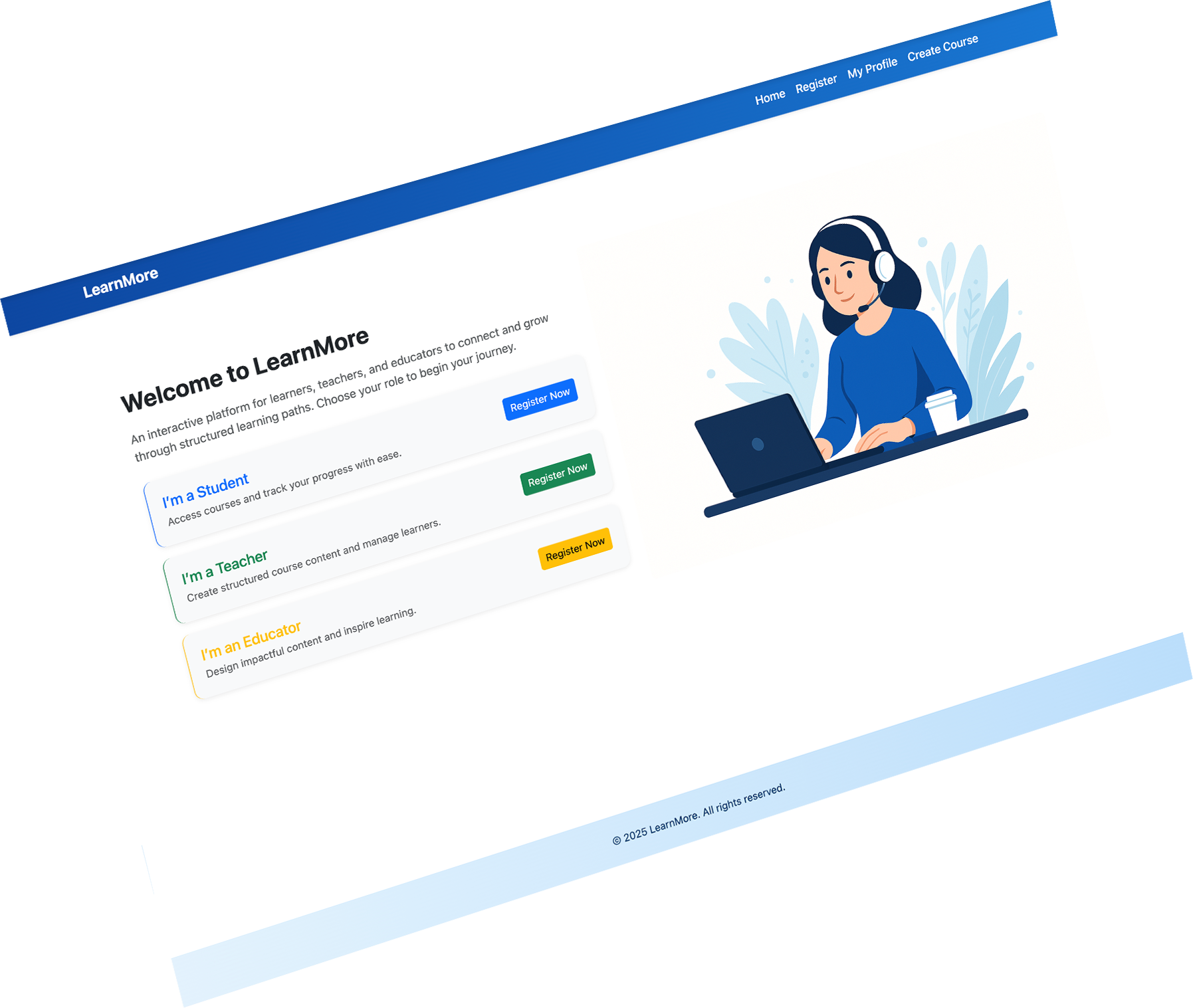
LearnMore






Design Guidelines
Color
Theme Color
# 0D6EFD
RGB 13、110、253
Accent color
# 1A8754
Accent color
# FFC008
Theme Color
# 2A2A2A
Accent color
# 6C757D

Font
Typography
INTER
Size
12
14
16
18
20
22
Core pages & functions
Landing Page



Music3001
Music3002
Music3003

Index Page





Simplify the course creation process
A clean, intuitive interface enables educators to build learning materials using text, images, and videos. With a clear content structure and logical flow, it lowers the barrier to course creation and reduces friction in the course design process.
QR code integration
A clean, intuitive interface enables educators to build learning materials using text, images, and videos. With a clear content structure and logical flow, it lowers the barrier to course creation and reduces friction in the course design process.
Real-Time Progress Dashboard
Educators can monitor how learners interact with content—completion rates, time spent, and last activity. This data supports responsive teaching strategies and helps identify friction points in learning.
Both instructors and learners manage their own dashboards. Educators track and update multiple courses, while learners see a clear record of their participation and progress
Personalized Accounts & Profiles
Database Design
The database is designed to support a role-based course platform where users can act as educators, trainers, or students. Educators can create structured multi-page courses, which are linked to auto-generated QR codes for easy sharing. The system also tracks individual learner progress, making it easier for instructors to monitor engagement and completion.


Code showcase

Accessibility: All interactive elements—including buttons, forms, links, and modal dialogs—are designed to be fully operable via keyboard. Clear visual focus indicators support keyboard navigation, enabling users to move through the interface confidently and efficiently.
Structured Information & Semantic Design
I used semantic HTML elements such as <header>, <nav>, <main>, and <footer> with clear heading hierarchies, enabling assistive technologies to interpret content structure effectively. ARIA attributes (e.g., aria-label, aria-expanded) were incorporated to ensure that dynamic content is equally accessible through screen readers.
Keyboard-Friendly Interaction
All interactive elements—including buttons, forms, links, and modal windows—were designed to be fully operable via keyboard. Clear visual focus indicators guide users who rely on keyboard navigation, allowing them to move through the interface with confidence and efficiency.
Execute
Frontend: Developed the user interface using HTML5, CSS3, and Bootstrap, ensuring responsive layouts and cross-device usability. Integrated features such as QR code generation for quick course sharing.
Backend Integration: Worked with Django and MySQL to handle data flow between the interface and database. The backend implementation included APIs for course/module management, user authentication, and quiz functionality (as shown in the code snippet).
Collaboration: Coordinated frontend and backend to ensure smooth communication and efficient system performance, resulting in a platform that is both user-friendly and technically robust.